

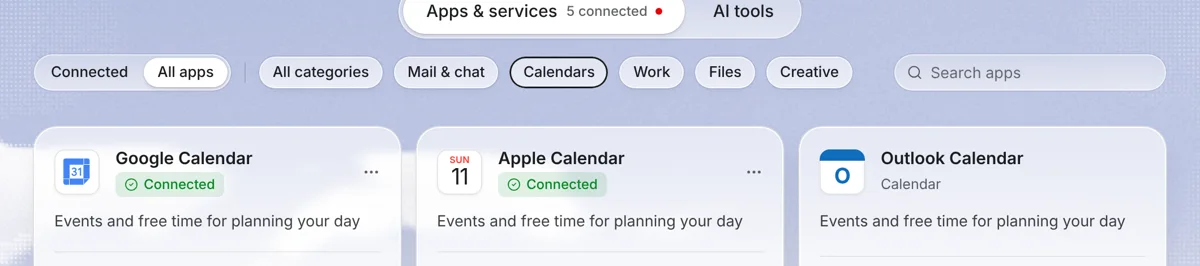
What the integration does
Needt reads events from the Outlook calendars you connect, including Teams meetings, and treats them as busy. Your tasks get slots around them, ordered by deadline, priority and energy. When you want, Needt writes the scheduled task blocks back to a calendar so your coworkers see you as busy during focus work.
Set it up
- In Needt, open Settings → Calendars.
- Choose Outlook / Microsoft 365. A Microsoft sign-in window opens.
- Sign in with your Outlook.com or work account and accept the permissions Microsoft shows.
- Select the calendars to include, then open Calendar to see events and tasks together.
What syncs and what doesn't
| Item | Direction | Notes |
|---|---|---|
| Events and Teams meetings | Outlook → Needt | Read as busy time. Needt doesn't edit them. |
| Scheduled task blocks | Needt → Outlook | Only if you choose to write them. |
| Task details | Stay in Needt | Estimates, subtasks and notes don't go to Outlook. |
| Room bookings, invites, RSVPs | Not managed | Keep using Outlook or Teams for these. |
Which calendar should hold task blocks?
If coworkers book you through Outlook's scheduling assistant, write task blocks to your main work calendar so a 2-hour report block reads as busy. If you'd rather keep tasks private, create a separate calendar in Outlook, name it “Needt”, and write blocks there. Either way, your Teams meetings stay exactly as they are. Needt only moves its own blocks when the day changes, and asks you to confirm.
Example workflows
Protect focus time from meeting creep
Alex's Outlook shows a 10:00 stand-up and a 14:00–15:00 Teams review. Alex adds “write Q4 report, 2h, by Thu #Clients, high energy”. Needt places it 10:30–12:30, when Alex's energy is set high, and writes the block to Outlook so the slot shows as busy.
Sunday-night plan for the week
Ask Needt “Plan my week around my Outlook meetings”. You get a draft week with tasks spread across open gaps. Pair it with the weekly planner if you like to review on paper first.
Personal and work in one view
On Pro, connect your work Microsoft 365 calendar and a personal Google or iCloud calendar. A 17:30 gym class in the personal calendar now blocks Needt from scheduling a work task there.
Limits by plan
| Free | Pro | |
|---|---|---|
| Connected calendars | 1 | Unlimited |
| Auto-scheduled tasks | 15 per month | Unlimited |
| Booking pages | 1 | Unlimited |
Pro is $7/month or $59/year. See pricing.
Troubleshooting
- “Need admin approval”. Your tenant blocks user consent. Send your IT team the request, or connect a personal calendar meanwhile.
- Shared or delegated calendars don't show. Open them in Outlook first so they're added to your account, then reconnect in Needt.
- Access stopped working. You or an admin may have revoked permissions. Work accounts can review them in the My Apps portal. Then reconnect in Settings → Calendars.
- Times look shifted by an hour. Check that the time zone in Needt matches the one in Outlook.
