

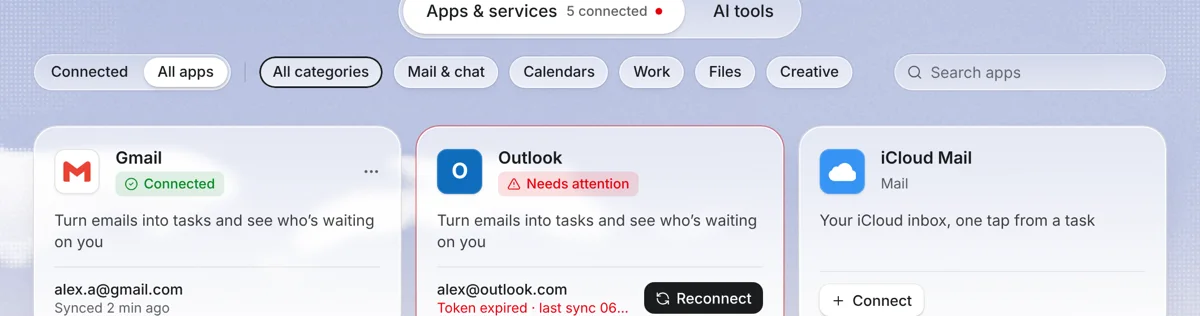
What the integration does
Most of a to-do list starts as email. With Gmail connected, your mailbox appears inside Needt. Open a message, choose to make it a task, and Needt proposes something like “Reply to Dana with revised quote, 20 min, by Thu #Clients”. Edit it if needed and save. From there it's a normal Needt task: it can be auto-scheduled, get reminders and live in a project.
Set it up
- In Needt, open Mail → Connect mail.
- Choose Gmail and sign in with Google.
- Review what Google says Needt can access, then allow it. Google describes this consent screen in Google Account Help: share access with third-party apps.
- Your inbox appears in Needt. Add up to two more mailboxes (Gmail, Outlook or IMAP) on Pro.
What syncs and what doesn't
| Item | In Needt | Notes |
|---|---|---|
| Messages in your mailbox | Readable | So you can open them and make tasks. |
| Email → task | Yes | Needt suggests title, estimate, deadline; you confirm. |
| Task linked to its email | Yes | Jump back to the original message from the task. |
| Labels, filters, Gmail rules | No | Keep managing these in Gmail. |
| Automatic tasks from every email | No | Nothing becomes a task unless you choose it. |
Gmail stays your mail app. Needt is where an email becomes planned work.
When to keep it in Gmail
Not every email deserves a task. A two-line reply is faster to send right away than to schedule. A rough rule: if it takes under 2 minutes, answer it in Gmail. If it needs a block of focused time, a deadline or a follow-up, make it a task in Needt. Newsletters and receipts can stay archived in Gmail. That keeps your Needt list short enough that the schedule stays realistic.
Example workflows
Morning inbox pass in 10 minutes
At 08:30 Alex opens Mail in Needt. Three emails need action: a contract to review, an invoice question, a website bug. Each becomes a task: “Review contract, 45 min, by Fri #Clients”, “Answer invoice question, 10 min, today”, “Fix mobile menu bug, 60 min #Website”. Needt slots them around the 11:00 call.
Ask the agent
Open an email and use Ask: “Turn this email into tasks”. A long brief with five requests becomes five tasks with estimates you can adjust.
For a full review rhythm, try the weekly review template.
Limits by plan
| Free | Pro | |
|---|---|---|
| Mailboxes | See pricing | Up to 3 (Gmail, Outlook, IMAP) |
| Auto-scheduled tasks | 15 per month | Unlimited |
| AI agent (Ask) | Small monthly allowance | Included |
Bring your own AI key on any plan. Full details on pricing.
Troubleshooting
- Google says the app is blocked. A Google Workspace admin may limit third-party access to Gmail. Ask them to allow Needt, or use a personal account.
- Mail stopped loading. Access may have been removed in your Google Account's manage linked apps page. Reconnect in Mail → Connect mail.
- Suggested estimate is off. Edit it before saving. Typing “30 min” in the title also sets the estimate.
- Can't add a fourth mailbox. Pro supports up to 3. Remove one first.
