

What the integration does
Needt runs a remote MCP (Model Context Protocol) server. Claude connects to it and gets a set of Needt tools: create task, list tasks, run scheduler, reschedule, and control (overview, projects, update or complete tasks, calendars, events). You talk in plain language; Claude calls the tools. Deletes need your confirmation and go to Needt's trash.
Set it up
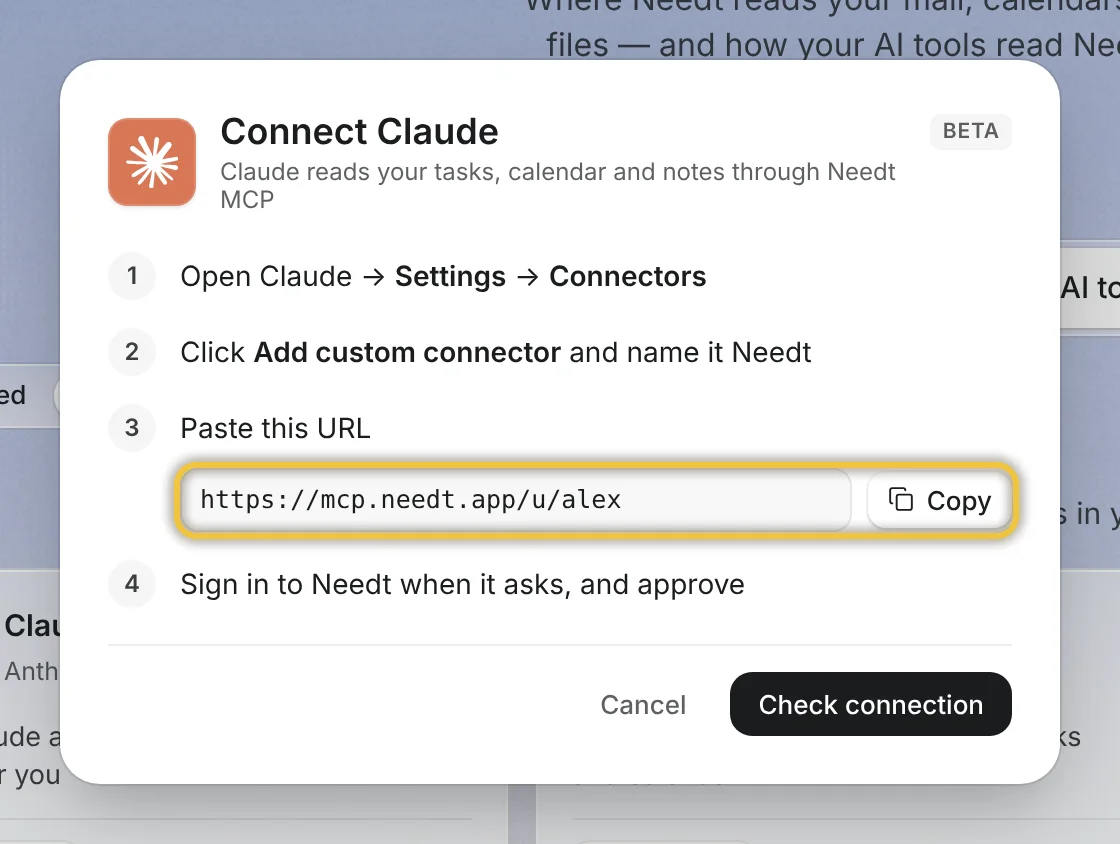
- In Claude (web or desktop), go to Customize → Connectors.
- Click +, then Add custom connector.
- Name it “Needt” and enter
https://mcp.needt.app/u/your-name. Click Add. - Click Connect and sign in to Needt to approve access.
- In a new chat, enable the Needt connector from the tools menu and ask something.
On Team and Enterprise plans an owner adds the connector under Organization settings → Connectors first. Claude's Free plan allows one custom connector. Source: Claude Help Center: custom connectors using remote MCP.
What Claude can and can't do
| Action | Possible | Notes |
|---|---|---|
| Create tasks with estimate, deadline, project | Yes | Same parsing as typing in Needt. |
| List tasks, see overdue, see overview | Yes | |
| Run the scheduler, reschedule | Yes | Plan limits apply to auto-scheduling. |
| Read calendars and events | Yes | Through the control tool. |
| Delete tasks | With confirmation | Deleted items go to trash. |
| Edit docs and moodboards | No | Use Needt for these. |
How access works
When you click Connect, Claude sends you to Needt's sign-in page. You approve access there, and Claude receives a token, never your password. Depending on your Claude settings, it can ask you to approve each tool call. Keeping approvals on at first lets you see each action, for example “create task: send the report, 30 min, Friday”, before it runs. Removing the connector in Claude ends the connection.
Example prompts
- “Add: send the report, 30 min, by Friday #Clients. Then schedule it.”
- “What's overdue in #Website? Move anything low priority to next week.”
- “My 14:00 got cancelled. Re-plan the rest of today.”
- “Here are my meeting notes. Turn the action items into Needt tasks, 15–60 min each, in #Clients.”
The last one is where Claude shines: it reads a messy page and Needt turns it into a scheduled plan. Walkthrough: connect Claude to your calendar.
Limits by plan
Needt MCP is part of Pro and Lifetime, and of the 14-day trial every new account gets. Claude's own plan decides how many custom connectors you can add. See pricing.
Troubleshooting
- “Couldn't connect”. Check the URL is exactly
https://mcp.needt.app/u/your-namewith no trailing path. - Claude doesn't use the tools. Enable the Needt connector in the chat's tools menu, or mention Needt in your request.
- No “Add custom connector” option. On Team or Enterprise, your owner must add it or allow custom connectors.
- Signed in to the wrong Needt account. Disconnect the connector in Claude and connect again.
