

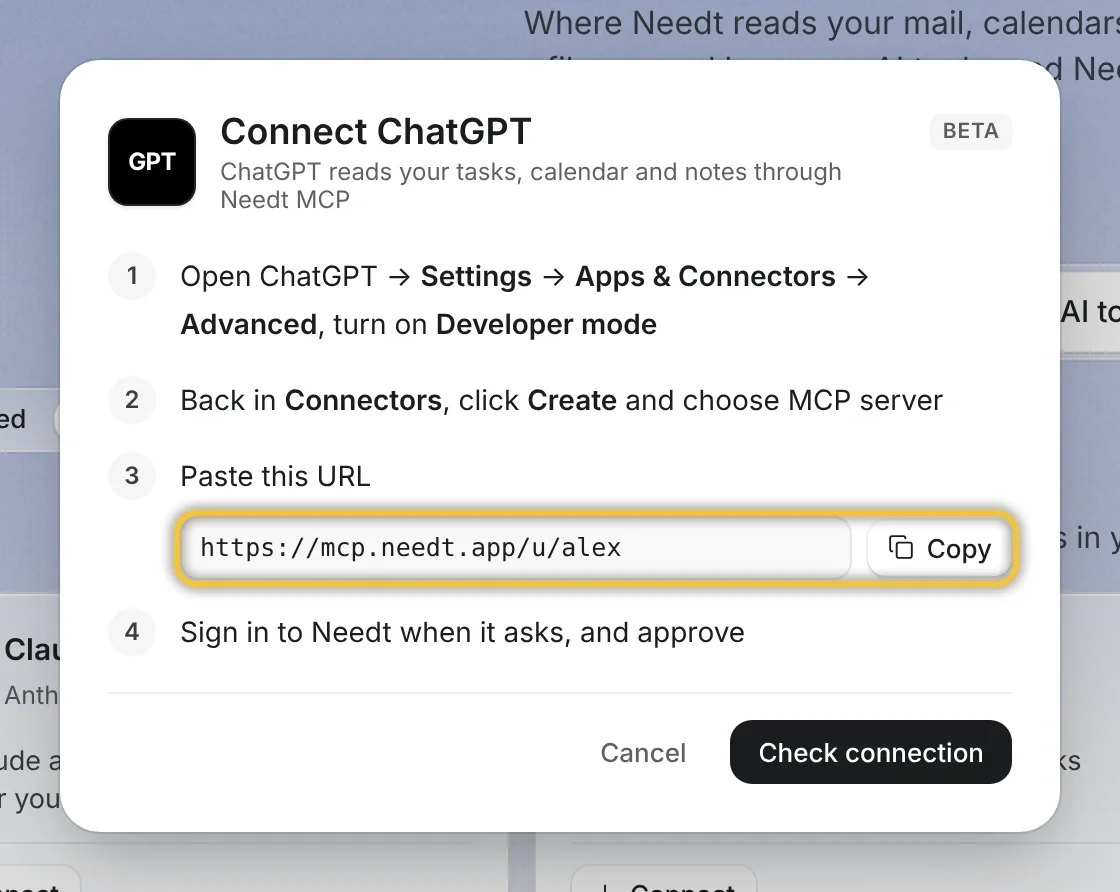
What the integration does
Needt exposes its tools over MCP: create task, list tasks, run scheduler, reschedule, and control (overview, projects, update or complete tasks, calendars, events). ChatGPT calls them when your request needs them. Deletes need confirmation and go to trash.
Set it up
- Turn on developer mode. On Enterprise or Edu (once an admin grants access) and on Pro, go to Settings → Apps → Advanced settings. On Business, only admins can use developer mode, from Workspace settings → Apps → Create.
- Go to Settings → Apps → Create.
- Name it “Needt” and enter the URL
https://mcp.needt.app/u/your-name. - Choose OAuth as authentication, then Scan Tools and sign in to Needt when asked.
- Click Create. The app appears under enabled apps with a Dev label. Select it in a new chat.
Menu names change often in ChatGPT; OpenAI Help Center: developer mode and MCP apps has the current path.
What ChatGPT can and can't do
| Action | Business / Enterprise / Edu | Pro (read-only MCP) |
|---|---|---|
| List tasks, overdue, overview | Yes | Yes |
| Create and update tasks | Yes | No |
| Run scheduler, reschedule | Yes | No |
| Delete tasks | With confirmation | No |
| Docs and moodboards | No | No |
If your plan only allows read access, add tasks in Needt directly or use Claude, which supports custom connectors on its Free plan.
Example prompts
- “What's on my plan today, and what's overdue?”
- “Add three tasks to #Website: fix footer links 20 min, write About page 60 min by Thu, compress images 30 min. Then schedule them.”
- “I'm out 13:00–15:00. Reschedule anything in that window to later today.”
- “Summarize this week's #Clients tasks by deadline.”
Background on how assistants and calendars fit together: AI assistant + calendar over MCP.
If your plan is read-only
You still have options. Claude supports custom connectors on all of its plans, including one on Free. Coding tools such as Codex, Cursor, VS Code and Gemini CLI connect to the same server with a personal token from Settings → Data → Personal API. And for scripts or automations, the Needt API offers the same actions (tasks, schedule, reschedule, control) with a bearer token.
Limits by plan
Needt plan limits apply as usual: Free has 15 auto-scheduled tasks per month and 1 calendar; Pro is unlimited. Your ChatGPT plan decides whether developer mode and write actions are available. See Needt pricing.
Troubleshooting
- No developer mode toggle. Your plan or workspace may not allow it. On Business and Enterprise, ask an admin.
- ChatGPT can read but not create. Your plan has read-only MCP. Write actions need Business, Enterprise or Edu.
- Asked to sign in again. Reconnect the app in Settings → Apps and sign in to Needt.
- Tool scan finds nothing. Check the URL is exactly
https://mcp.needt.app/u/your-nameand try the scan again.
