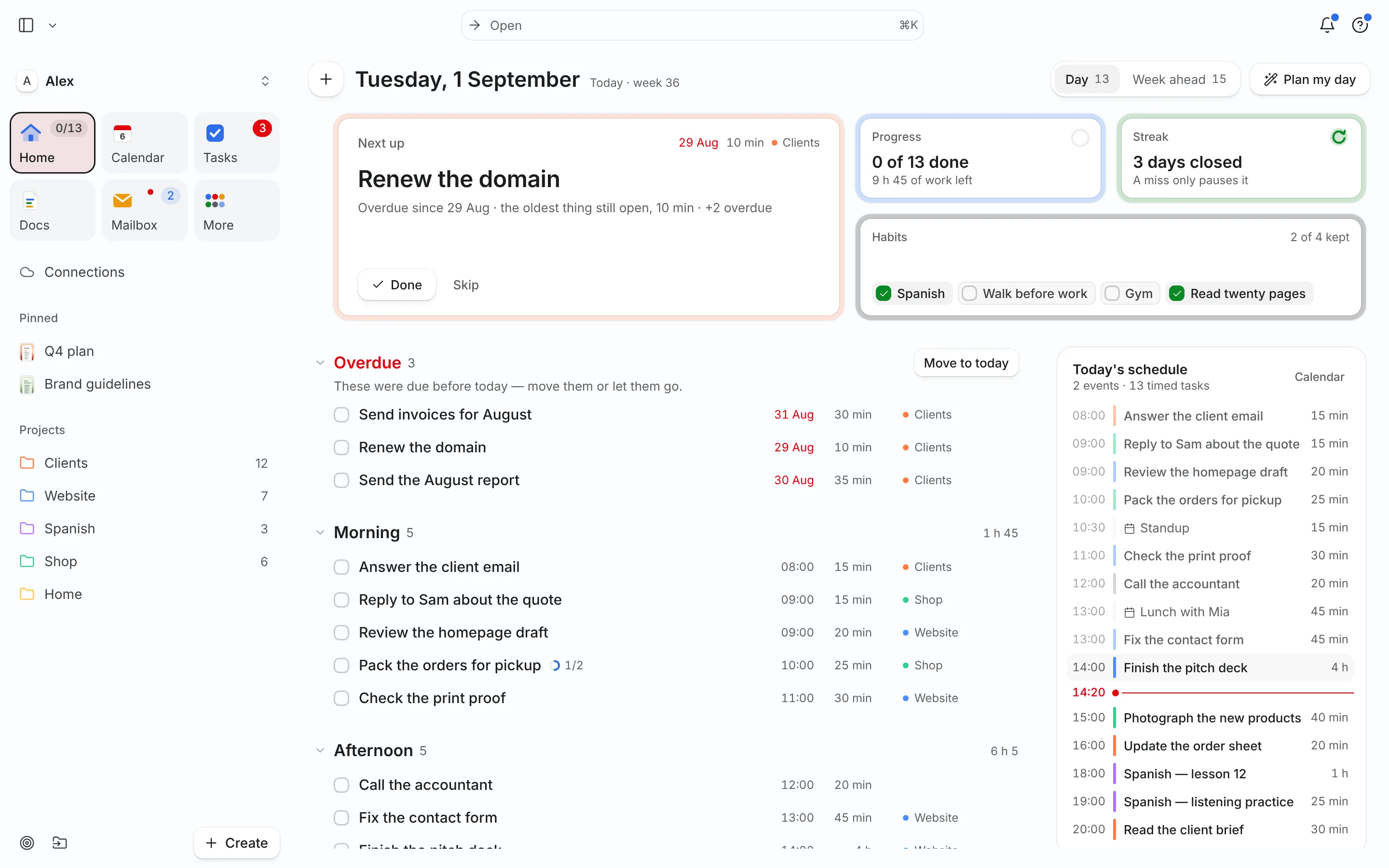
Until recently, asking an AI assistant about your week meant pasting your week into the chat. Now the assistant can look for itself — and, if you let it, change things. That’s useful, and it deserves a few rules.
What MCP is
The Model Context Protocol is an open standard for connecting AI assistants to the places your data lives. Anthropic published it in November 2024.[1] A year later it had become the common plug: OpenAI built it into ChatGPT’s developer mode,[2] Microsoft announced support across GitHub, Copilot Studio and Windows 11,[3] and Google added it to Gemini, down to the Gemini CLI. In December 2025 the protocol moved to a neutral home, the Linux Foundation’s Agentic AI Foundation, with more than 10,000 active servers and 97 million monthly SDK downloads.[4]
For you, it means one thing: an app that speaks MCP works in every assistant that speaks MCP. Connect once, and Claude, ChatGPT, Cursor or Gemini can all use it.
What it’s good for in a planner
A planner is a good fit because the questions you ask about your day are specific and the answers are in one place. Some that work well with Needt:
- “What’s overdue, and what can wait?” The assistant reads your tasks and deadlines and gives you a short list, not a lecture.
- “My 2 pm moved to 4. Re-plan the afternoon.” It runs the scheduler and tells you exactly what moved.
- “Turn this email thread into tasks.” Paste the thread; the asks become tasks with estimates and deadlines, placed into free time.
- “Plan my week around three deep-work mornings.” It blocks the mornings first and fits everything else around them.
The assistant does the talking; Needt does the planning. The schedule you get back is the same one you’d see in the app, because it is the app.
Three rules for letting an AI touch your week
1. Reading is free. Writing needs a yes.
The MCP specification says there should always be a human in the loop who can deny a tool call, and that clients should ask before sensitive operations.[5] Most assistants show each action before running it. Keep that on for anything that changes your plan. In Needt, deletes go further: they only happen when the assistant explicitly confirms, and deleted items land in the trash, where you can restore them.
2. Give each assistant its own key
Sign in with OAuth where you can. Where you need a token, make one per client, and revoke the ones you stop using — Needt lists them all in Settings → Data → Personal API. The protocol’s own security guidance is the same: tokens issued for one server, scopes as narrow as the job.[6]
3. Don’t let other people’s text give orders
An assistant follows the words it reads, including words in an email or a web page someone else wrote. OpenAI’s documentation for developer mode calls this out directly: prompt injection and model mistakes on write actions are the real risks.[2] If an assistant is about to act on an instruction you didn’t give, stop it.
Try it in two minutes
Needt’s MCP server lives at https://mcp.needt.app/u/your-name. In Claude, add it as a custom connector; in ChatGPT, create an app in developer mode; in Cursor, Claude Code or Codex, it’s one line of config. The setup guide has the exact steps for each.
Then ask the question you usually open three tabs to answer: “What should I work on next?”
Sources
- Anthropic, “Introducing the Model Context Protocol”, 25 Nov 2024. www.anthropic.com
- OpenAI, Developer mode and MCP apps in ChatGPT (documentation). developers.openai.com
- Microsoft, Build 2025: The age of AI agents and building the open agentic web, May 2025. news.microsoft.com
- Model Context Protocol blog, “MCP joins the Agentic AI Foundation”, 9 Dec 2025. blog.modelcontextprotocol.io
- Model Context Protocol specification, Server · Tools. modelcontextprotocol.io
- Model Context Protocol, Security best practices. modelcontextprotocol.io