
The problem: the plan lives outside your editor
You’re in the middle of a refactor and notice a flaky test, a missing migration and a docs gap. Switching to a planner to write them down costs the context you were holding. So they go in a TODO comment, and three weeks later they’re still there.
Meanwhile your calendar is a checkerboard: standup at 09:30, a review at 11:00, a sync at 14:00. Every free slot is 50 minutes, and nothing gets the two hours it needs.
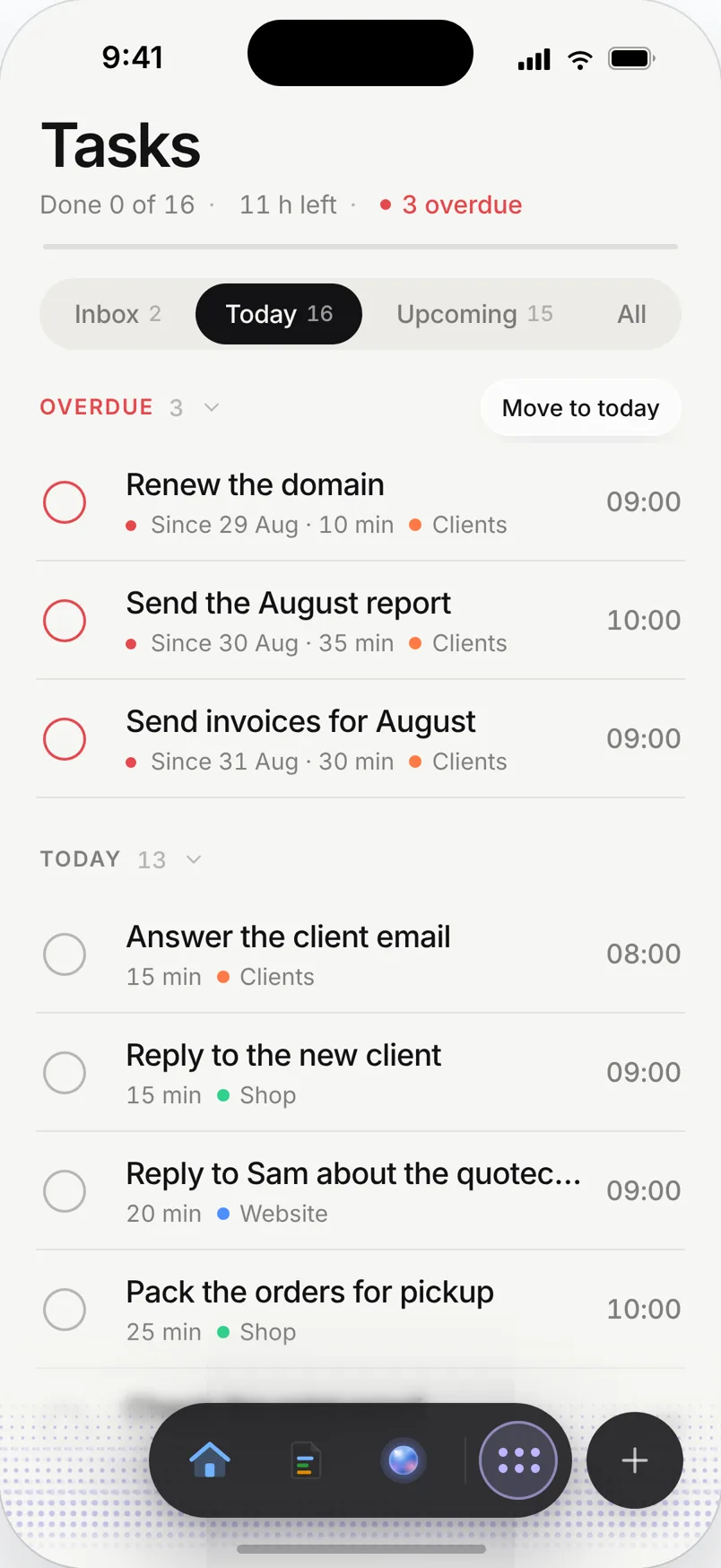
A day planned in Needt
Alex works on the Website project, with meetings from a connected Google Calendar.
- 09:30–09:45 Standup.
- 09:50–11:50 Focus: rewrite the auth middleware. One block, High energy.
- 12:00–12:30 Review two PRs.
- 14:00–14:30 Sprint sync.
- 14:40–15:40 Fix flaky checkout test. Alex added it from Claude Code at 10:20 without leaving the terminal.
- 15:50–16:20 Write migration notes in Docs.
At 10:20, mid-refactor, Alex types in Claude Code: "Add a Needt task: fix flaky checkout test, 1h, by tomorrow, #Website". The MCP server creates it and the scheduler finds 14:40. Back to the middleware.
For builders
MCP server
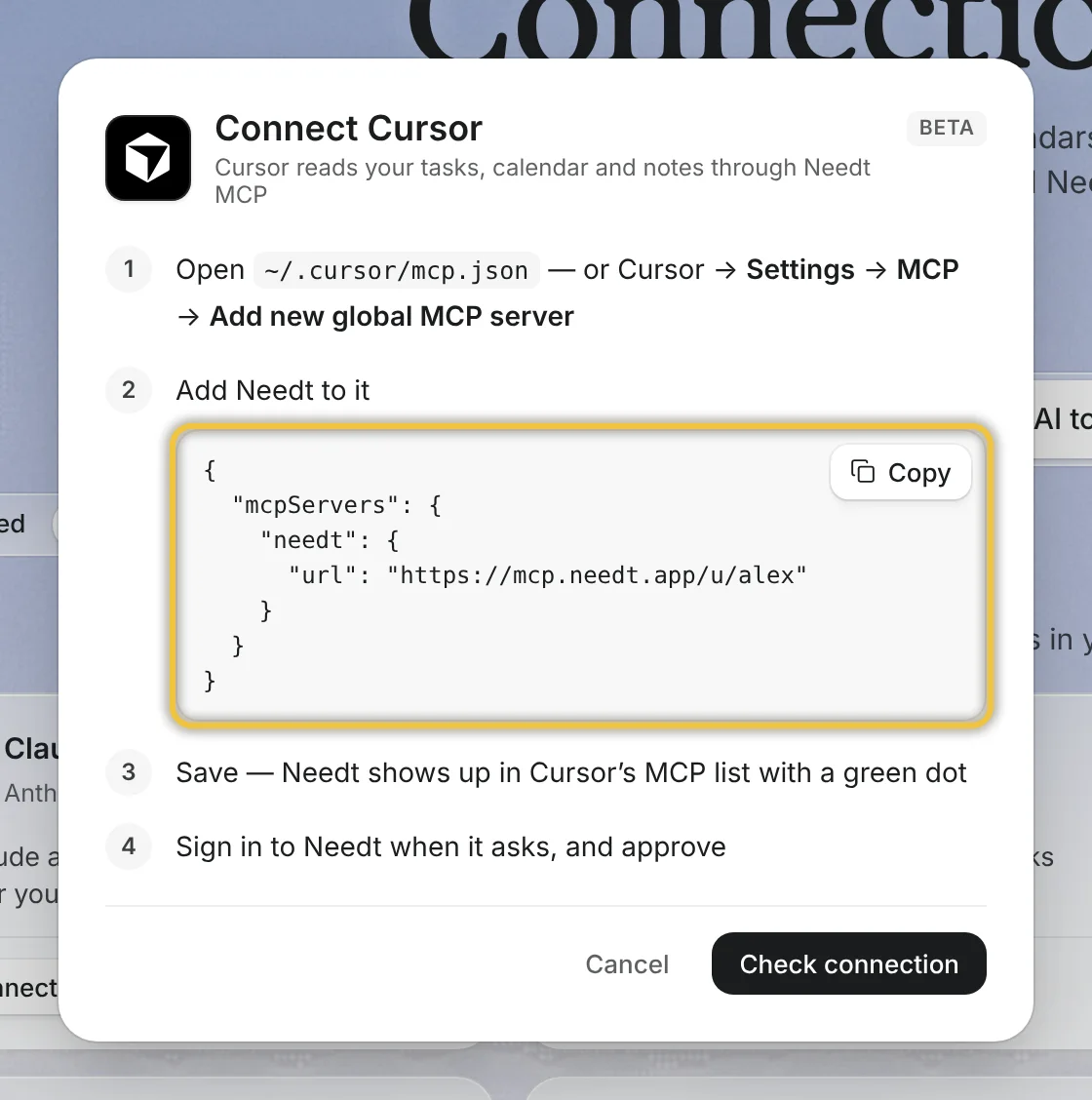
Connect https://mcp.needt.app/u/your-name with OAuth or a personal token from Settings → Data → Personal API. It works in Claude, Claude Code, Cursor, Codex, VS Code, Gemini CLI, Windsurf, Raycast and ChatGPT developer mode. Tools cover creating and listing tasks, running the scheduler, rescheduling and a control tool for projects, calendars and events. Deletes need confirmation and go to trash.
REST API
Base URL https://use.needt.app/api/connect with bearer auth.
| Endpoint | Use it to |
|---|---|
/tasks | Create and list tasks |
/schedule | Run the scheduler |
/reschedule | Re-plan after changes |
/control | Overview, projects, update or complete tasks, calendars, events |
Request shapes and examples are in the API reference.
Focus blocks that survive meetings
Give deep work a long estimate and High energy. When a meeting moves, the scheduler rebuilds the day and shows what moved.
Bring your own key
Use your own AI provider key on any plan for the in-app agent.
Live in two minutes
- Sign up at use.needt.app and connect your work calendar.
- In Claude Code, add the server:
claude mcp add --transport http needt https://mcp.needt.app/u/your-name, then sign in when prompted. - Or create a personal token under Settings → Data → Personal API for other clients and scripts.
- Ask: "What’s on my Needt plan today?"
- Add your first task from the terminal.
Setup for each client is in the MCP guide.
Ways developers use it
On-call weeks
Interruptions are guaranteed. Plan shorter focus blocks and more buffer. When an incident eats the morning, ask the assistant to re-plan; the scheduler moves the rest and shows what moved.
Side projects
Keep a separate project for your side project with a couple of evening or weekend blocks. Add tasks from the terminal while you’re in that codebase, so the next session starts where you stopped.
Review debt
PR reviews pile up when they don’t have a slot. Add a daily 30-minute review task after standup, or use timeboxing so reviews don’t spread across the day.
Scripts and automations
A small cron script can call the API each morning to run the scheduler, or create tasks from your own sources. Keep the token in your secrets manager, not in the repo.
What Needt doesn’t do
Needt isn’t an issue tracker. There’s no GitHub or Linear sync, no sprint boards for the team and no story points. Keep issues where your team keeps them and use Needt for your own time: which issue gets this afternoon. If you want that link, a short script against the API can create Needt tasks from your assigned issues. There are no webhooks listed today, so polling or an assistant over MCP is the way in.
Where to go next
- Your AI assistant, now with a calendar.
- Needt + Claude and Needt + ChatGPT.
- Context switching: what a checkerboard calendar costs.
- Timeboxing template for PR reviews.
