
Why classic time blocking often breaks
Standard advice says: plan every hour, protect long deep-work blocks, stick to the plan. For many people with ADHD that fails in predictable ways. The first block starts late, everything behind it is now “wrong”, and the whole plan gets abandoned by 10:00.
The fix is not more discipline. It is a plan designed to be broken and resumed. This guide is practical, not medical: it is about calendars and tasks, and it isn’t a substitute for advice from a clinician.
An ADHD-friendly method in seven steps
- Start with 3 blocks, not 12. Pick the three things that would make today count. Block only those. Everything else lives on a list you pull from.
- Keep blocks to 25–50 minutes. A 45-minute block with a clear end is easier to start than a 2-hour one. Two short blocks back to back still add up to deep work.
- Write the first physical action in the title. Not “Taxes” but “Taxes: open the bank PDF and download October”. A concrete first step lowers the cost of starting.
- Use if-then starts. “When the stand-up ends, I open the proposal doc.” Plans that link a cue to an action, called implementation intentions, have strong research support in general populations (Gollwitzer, 1999; meta-analysis, 2006).
- Put 10–15 minute transition blocks between tasks. Water, stretch, close tabs, reread the next block’s first step. Transitions are where days get lost, so they deserve a slot.
- Pad estimates by 50%. Time is hard to judge for everyone, and harder when you hyperfocus or get pulled away. A 30-minute task gets 45.
- Plan the restart, not just the start. Decide now: if you lose the morning, you’ll do the one most important block after lunch and drop the rest without guilt.
Worked example: Alex’s Tuesday
Alex has a 10:00 client call and a 15:30 pickup. The three things that would make Tuesday count: send the logo revisions, pay two invoices, practice Spanish.
| Time | Block |
|---|---|
| 08:45–09:00 | Transition: coffee, open Figma file, read call notes |
| 09:00–09:45 | Clients: logo revisions — start by exporting v2 to PDF |
| 09:45–10:00 | Buffer / transition to call |
| 10:00–10:45 | Client call (fixed) |
| 10:45–11:00 | Transition: write 3 bullet notes from the call |
| 11:00–11:40 | Clients: apply call feedback, send revisions |
| 13:30–13:55 | Invoices: open banking app, pay invoice #1042 and #1043 |
| 14:00–14:30 | Spanish: 1 lesson in the app, out loud |
| 15:30 | Pickup (fixed, alarm at 15:10) |
Real life: Alex hyperfocuses on the logo until 09:58 and misses the transition. The call goes fine, but the 11:00 block starts at 11:25. Instead of declaring the day lost, Alex follows the restart rule: revisions go out at 12:05, invoices move to 13:30 as planned, Spanish shrinks to 15 minutes. Three of three things done, slightly smaller.
Make the plan visible
A plan only helps if you see it at the moment you need it. A few low-effort setups that many people find useful:
- One screen, one view. Keep today’s plan open on a second monitor or as the first thing on your phone’s home screen.
- Alarms at the end of blocks, not just the start. The end is what usually gets missed during hyperfocus.
- Color by energy, not project. Seeing at a glance which blocks are heavy and which are light makes swapping easier on a low day.
- A “parking lot” list. When a new idea appears mid-block, write it down in one place and go back to the block. Review the list at your next transition.
- Short timers inside blocks. The Pomodoro technique (25 minutes on, 5 off) fits inside a 50-minute block if starting is the hard part.
For a printable version, the daily planner and habit tracker templates work well together.
Common mistakes
- Blocking the whole day on a good morning. Ambitious plans made at peak motivation are the ones that collapse by noon.
- No visible end. A block without an end time quietly becomes four hours. Use alarms or a timer for the end, not just the start.
- Treating a missed block as failure. It is just information: the estimate was off, or the slot was wrong. Move it and keep going.
- Hiding the plan. A plan in a closed app doesn’t exist. Keep today’s view open on a second screen or pinned on your phone.
- Planning in the evening, tired. Many people do better with a 5-minute morning plan; see Plan your day in five minutes.
How to do it in Needt
- Capture first, sort later. Type tasks as they come:
pay invoices, 25 min, today #Home, low energy. Use subtasks for the first physical step. - Use the energy field. Mark tasks Low/Medium/High energy so auto-scheduling puts heavy work where you said you have it.
- Let the day rebuild when you drift. If a block runs over, Needt rebuilds the rest of the day and shows what moved. You confirm. No manual re-planning spiral.
- Use Focus sessions and reminders to make the end of a block visible, and Habits for small daily anchors like the Spanish lesson.
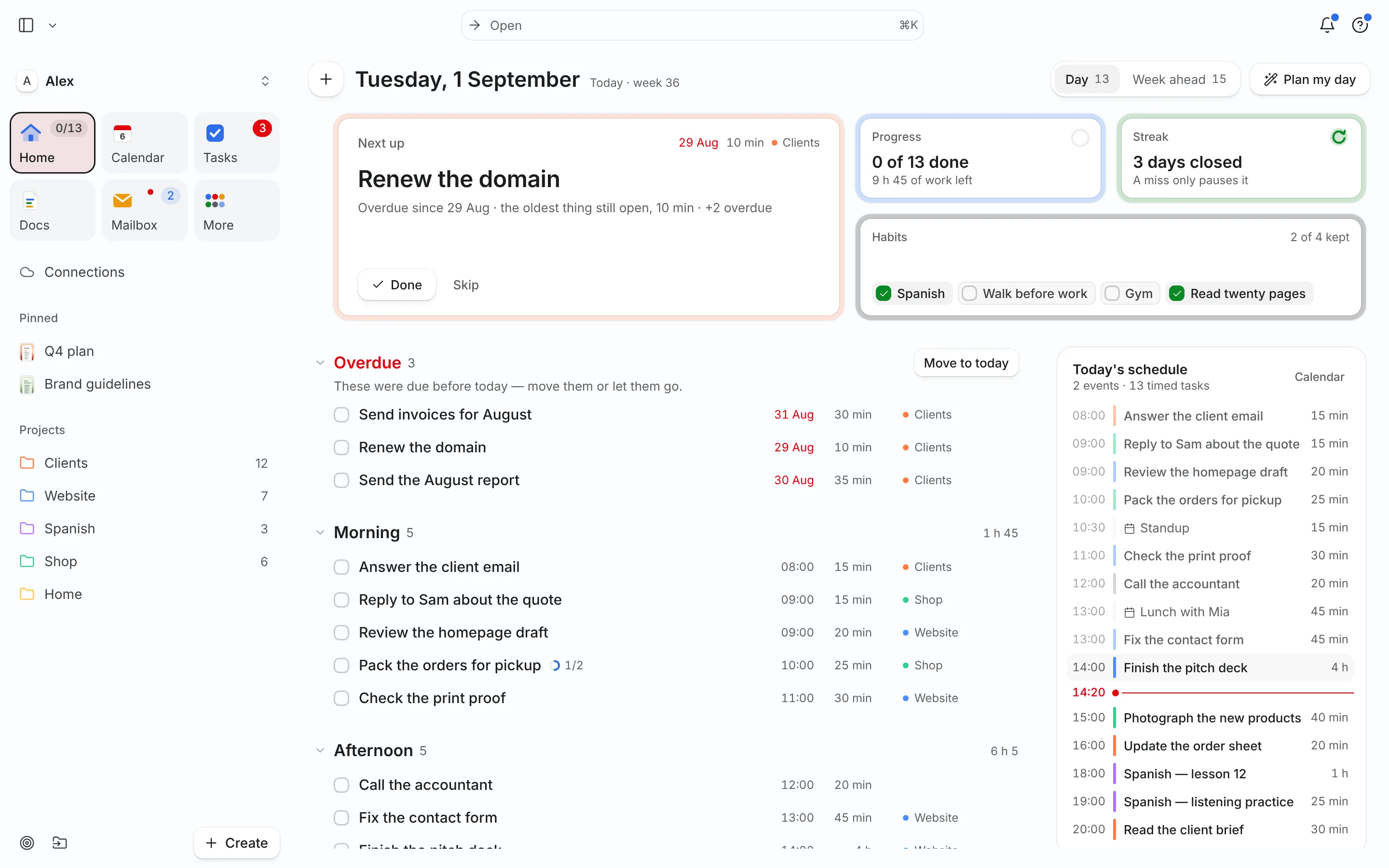
- Keep Home open. It shows today’s events and scheduled tasks in one place.
Prompts that help on hard days, in Ask:
I lost the morning. Keep only the most important task and re-plan the afternoon.
Break “do my taxes” into steps of 20 minutes or less.
More on this approach on the Needt for ADHD page. If you want a calmer, more visual planner, the comparisons with Tiimo and Structured are honest about where those apps fit better.
